Greenflower Zone
View on RobloxHow we calculate trends
We use linear regression on 7-day daily averages with IQR outlier filtering to remove spikes. A change ≥10% indicates Rising or Declining, otherwise Stable.
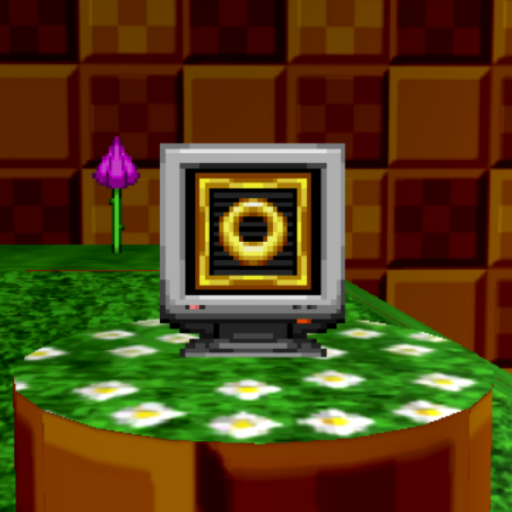
Greenflower Zone Player Count & Game Analysis
Created by Rosy's Blossoming Group, Greenflower Zone offers players a obby & platformer adventure on the Roblox platform. Having been available for over 5 years, the game has built a dedicated community.
Greenflower Zone currently has 1 players online. Current activity is 83% below the 7-day average of 6, which may reflect typical daily fluctuations.
Our 7-day regression analysis indicates a rising trend (+20%), suggesting growing interest in the game.
The game once peaked at 18 concurrent players, showing its potential for explosive growth during special events. Player reception sits at 84% positive based on 2,978 community votes.
3.2 million total visits and 8,650 favorites demonstrate the game's lasting appeal.
How GGAID Analyzes Player Trends
For this Roblox game, GGAID analyzes Roblox game trends using 7-day average player counts, linear regression, and IQR-based outlier filtering. A change of 10% or more indicates a rising or declining trend. Learn more about our methodology
Player Count (Last 24 Hours)
Developer
Official Game Description
Below is the official description provided by the game developer on Roblox. GGAID does not modify or rewrite this content.
My Roblox group, Rosy's Blossoming Group, was hacked a few days ago, but now it's fixed and back to normal! The owner of the game is Rascally_Rosy, who owns Rosy's Blossoming Group! Credit to Sonic Team Junior for originally making Sonic Robo Blast 2, they've been a huge inspiration to both me and this game! DISCLAIMER: This game was made for fun, and this is just a personal project! UPDATE LOG: - Brought back normal map! - Updated Amy NPC dialogue! CONTROLS: Primary Ability: Jump button in the air! Some abilities may require you to press and hold or spam the button! Secondary Ability: Left shift key, B button, or spin button! PVP EXCLUSIVE: Block: Q key, right shoulder button, or block button! Special (ONLY SPECIFIC CHARACTERS AS OF NOW): With enough rings (ring cost shown at top left), press E key, Y button, or special button!— Source: Roblox
🎉Events
No active events for this game


![[MOVIE SHADOW!] Sonic Tycoon official Roblox game thumbnail](https://tr.rbxcdn.com/180DAY-a4cc4065eb5cccb4e492329663c497e9/512/512/Image/Png/noFilter)